Graphic Design
html//css
jQuery // MoTools
Wordpress
首先分析一下这个进度条的结构:分别是标题、背景槽、颜色条。
html结构:
<ul id="skill">
    <li><span class="bar bar-1"></span><h3>Graphic Design</h3></li>
    <li><span class="bar bar-2"></span><h3>html//css</h3></li>
    <li><span class="bar bar-3"></span><h3>jQuery // MoTools</h3></li>
    <li><span class="bar bar-4"></span><h3>Wordpress</h3></li>
</ul>
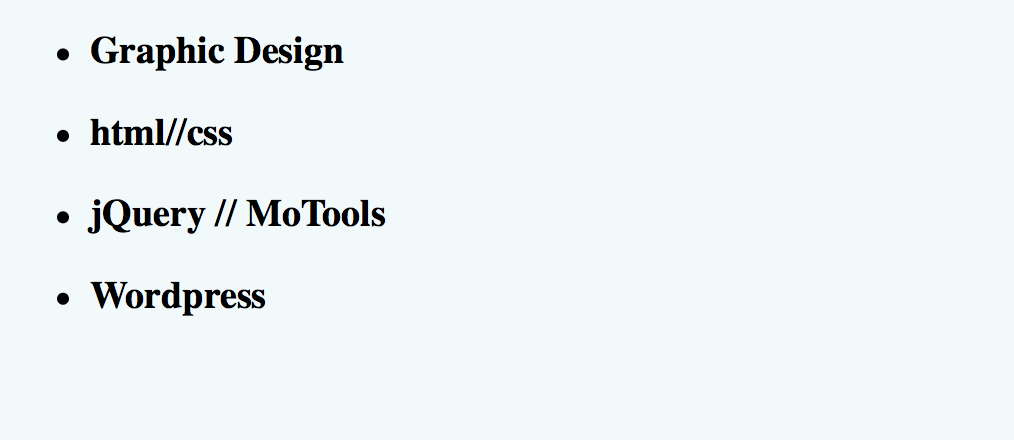
设置页面的背景色:{background: #E9E5E2;} 它的初始样式是这样的:
接下来为它添加样式:
#skill {
    list-style: none;
    font-size: 12px;
    width: 296px;
    margin: 40px auto 20;
    padding: 50px 0;
    position: relative;
    line-height: 2em;
}
#skill li {
    margin-bottom: 50px;
    background: #e9e5e2;

    background-image: -webkit-gradient(linear,left top,left bottom,from(#e1ddd9), to(#e9e5e2));
    background-image: -moz-linear-gradient(top,#e1ddd9,#e9e5e2);
    background-image: -ms-linear-gradient(top,#e1ddd9,#e9e5e2);
    background-image: -o-linear-gradient(top,#e1ddd9,#e9e5e2);
    background-image: linear-gradient(top,#e1ddd9,#e9e5e2);

    height: 20px;
    border-radius: 10px;  /*--背景槽的圆角--*/

    -webkit-box-shadow: 0 1px 0 #bebbb9 inset, 0 1px 0 #fcfcfc;
    box-shadow: 0 1px 0 #bebbb9 inset, 0 1px 0 #fcfcfc;
}
#skill li:nth-last-child(1) {
    margin-bottom: 0;
}
#skill li h3 {
    position: relative;
    top: -25px;   /*--标题文字上移--*/
}
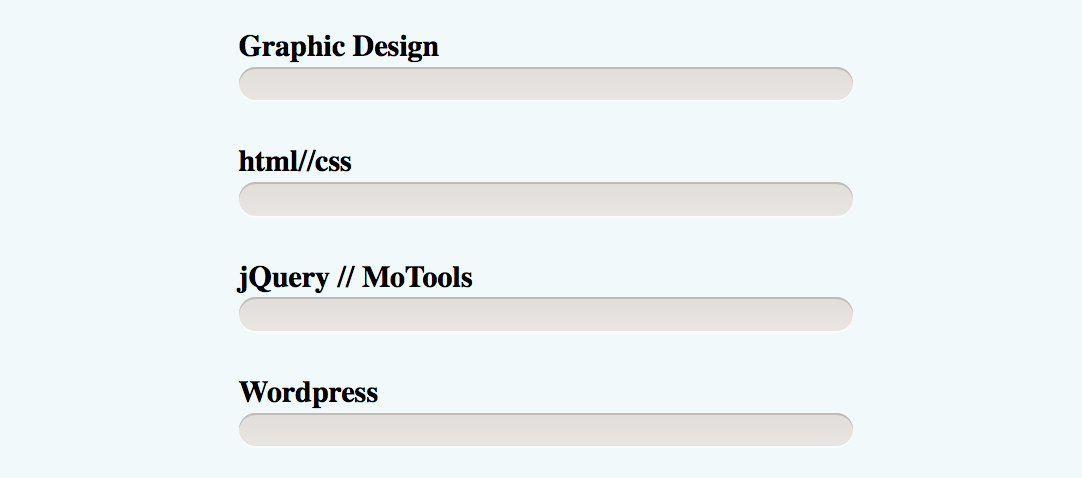
加完这些样式之后,标题和背景槽的样式都设置好了
接下来就可以设置颜色条的样式了:
/*--四条进度条的统一样式--*/
.bar {
    height: 18px;
    margin: 1px 2px;
    position: absolute;
    border-radius: 9px;
    -webkit-box-shadow:0 1px 0 #fcfcfc inset, 0 1px 0 #bebbb9;
    box-shadow:0 1px 0 #fcfcfc inset, 0 1px 0 #bebbb9;
}
/*--单独设置进度条的样式--*/
.bar-1 {
    width: 100%;
    -webkit-animation: graphic-design 2s ease-in-out infinite;
    animation: graphic-design 2s ease-in-out infinite;
    background-color: #f674a4;
    background-image: -webkit-gradient( linear, left top, left bottom, from(#f674a4), to(#e06995));
    background-image: -webkit-linear-gradient(top, #f674a4, #e06995);
    background-image: -moz-linear-gradient(top, #f674a4, #e06995);
    background-image: -ms-linear-gradient(top, #f674a4, #e06995);
    background-image: -o-linear-gradient(top, #f674a4, #e06995);
    background-image: linear-gradient(top, #f674a4, #e06995);
}
.bar-2 {
     width: 90%;
    -webkit-animation: html-css 2s ease-in-out infinite;
    animation: html-css 2s ease-in-out infinite;
    background-color: #0674a4;
    background-image: -webkit-gradient( linear, left top, left bottom, from(#f674a4), to(#e06995));
    background-image: -webkit-linear-gradient(top, #0674a4, #006995);
    background-image: -moz-linear-gradient(top, #0674a4, #006995);
    background-image: -ms-linear-gradient(top, #0674a4, #006995);
    background-image: -o-linear-gradient(top, #0674a4, #006995);
    background-image: linear-gradient(top, #0674a4, #006995);
}
.bar-3 {
     width: 65%;
    -webkit-animation: jQuery 2s ease-in-out infinite;
    animation: jQuery 2s ease-in-out infinite;
    background-color: #06f4a4;
    background-image: -webkit-gradient( linear, left top, left bottom, from(#f674a4), to(#e06995));
    background-image: -webkit-linear-gradient(top, #06f4a4, #00f995);
    background-image: -moz-linear-gradient(top, #06f4a4, #00f995);
    background-image: -ms-linear-gradient(top, #06f4a4, #00f995);
    background-image: -o-linear-gradient(top, #06f4a4, #00f995);
    background-image: linear-gradient(top, #06f4a4, #00f995);
}
.bar-4 {
     width: 80%;
    -webkit-animation: Wordpress 2s ease-in-out infinite;
    animation: Wordpress 2s ease-in-out infinite;
    background-color: #06f4ff;
    background-image: -webkit-gradient( linear, left top, left bottom, from(#f674a4), to(#e06995));
    background-image: -webkit-linear-gradient(top, #06f4ff, #00f9ff);
    background-image: -moz-linear-gradient(top, #06f4ff, #00f9ff);
    background-image: -ms-linear-gradient(top, #06f4ff, #00f9ff);
    background-image: -o-linear-gradient(top, #06f4ff, #00f9ff);
    background-image: linear-gradient(top, #06f4ff, #00f9ff);
}
/*--设置每条进度条的关键帧动画--*/
@-webkit-keyframes graphic-design {
    0% {width:0;}
    100%{width:100%;}
}
@
keyframes graphic-design {
    0% {width:0;}
    100%{width:100%;}
}
@-webkit-keyframes html-css {
    0% {width:0;}
    100%{width:90%;}
}
@keyframes html-css {
    0% {width:0;}
    100%{width:90%;}
}
@-webkit-keyframes jQuery {
    0% {width:0;}
    100%{width:65%;}
}
@keyframes jQuery {
    0% {width:0;}
    100%{width:65%;}
}
@-webkit-keyframes Wordpress {
    0% {width:0;}
    100%{width:80%;}
}
@keyframes Wordpress {
    0% {width:0;}
    100%{width:80%;}
}
设置进度条的颜色,长度,和动画。就OK了!